Building a Cross-Chain BTC-EURe Market Maker with NEAR Intents & 1-Click

TL;DR: We built a full BTC to EURe swap stack: a mobile swap UI, a tester, a solver monitor and our own AMM solver. Swaps go through NEAR Intents and Defuse 1-Click, between BTC on Bitcoin mainnet and EURe on Gnosis. The solver uses constant product math and keeps a 0.3% margin in the asset the user sends. Profit is the extra BTC and EURe that piles up in the reserves on the Intents contract.
Over the last days we wired up a complete swap stack between BTC and EURe. There is a mobile-first swap UI at emino.app/intent/, an advanced tester with a history view at emino.app/intent/intend/, a live solver monitor at emino.app/solver/, and a real AMM solver that provides liquidity between BTC on Bitcoin mainnet and EURe on Gnosis, through NEAR Intents and Defuse 1-Click.
This post shows how it all fits together, how a swap flows through the system, where the 0.3% margin comes from, and how a solver operator can deposit, monitor and later withdraw the profits.
1. How the pieces fit
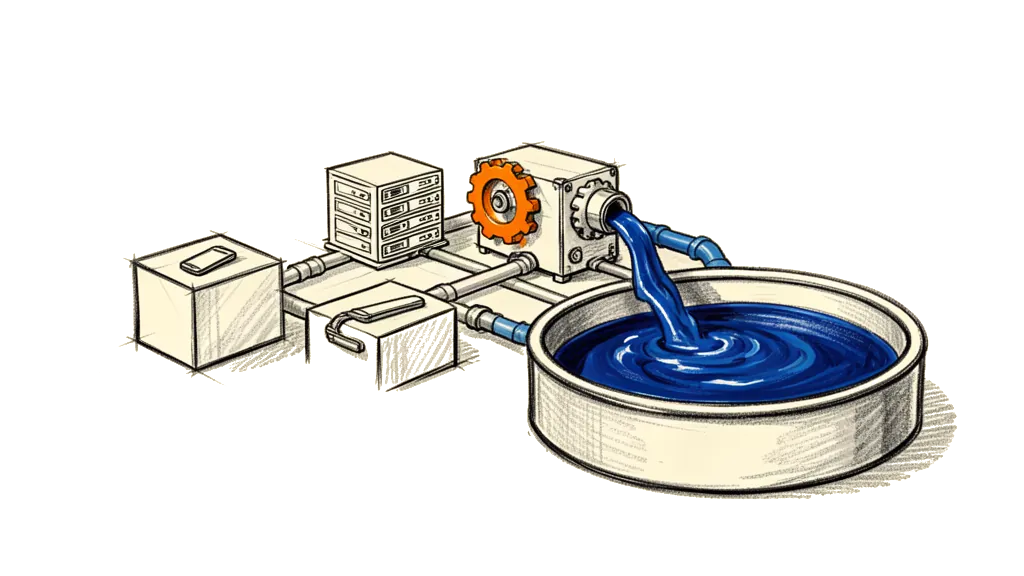
There are four pieces.
The first is the user UI on emino.app. /intent/ is a simple mobile-first page to start a swap between BTC and EURe, and /intent/intend/ is an advanced JSON tester with a history of the swaps that were started through this server.
The second is the UI server on port 4100. It's an Express server that serves the static HTML and JS for /intent/ and /intent/intend/, and it has a small API with four endpoints. It talks to the Defuse 1-Click API at https://1click.chaindefuser.com for quotes and status.
POST /api/intend/btc-to-eure
POST /api/intend/eure-to-btc
GET /api/intend/history
GET /api/intend/status/:depositAddress
The third is NEAR Intents plus the solver relay. The NEAR Intents contract (intents.near) holds the token reserves and keeps track of the intents. The solver relay at wss://solver-relay-v2.chaindefuser.com/ws forwards quote requests from 1-Click to the solvers and gets their answers back.
The fourth is our own AMM solver. It runs the official near-intents-amm-solver code with EURe on Gnosis as the first token and BTC on NEAR as the second, and it keeps a constant-product AMM over the EURe and BTC reserves on the Intents contract. It listens to quote requests over WebSocket, calculates prices with a margin, signs NEP-413 quotes and updates its view of the reserves after intents execute.
The UI and the solver don't know each other. The UI only talks to 1-Click, and the solver only talks to the solver relay and NEAR. The relay and 1-Click route the quotes and intents between them.
2. The swap pages
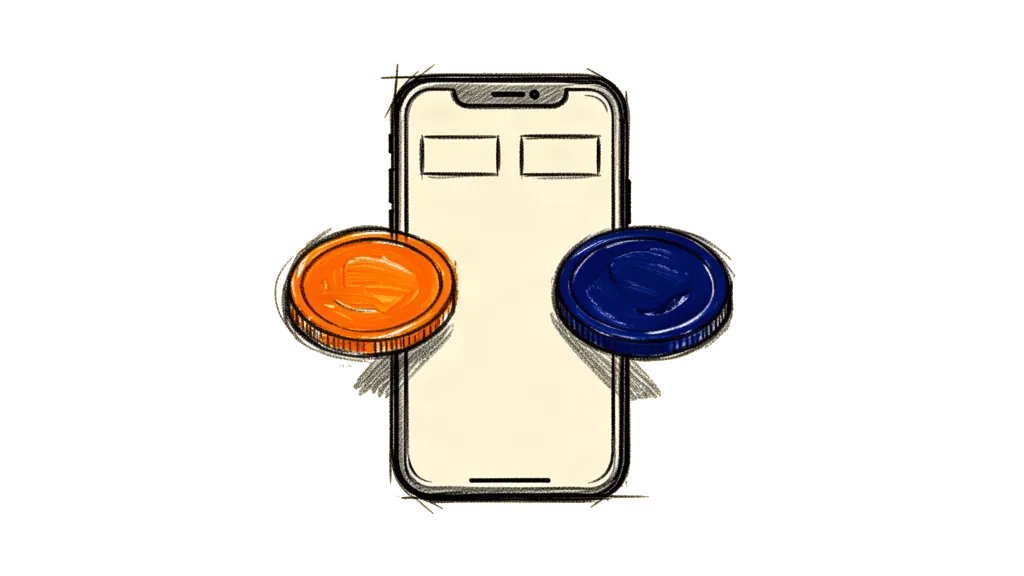
/intent/ is meant to be the one-screen test UI. It has two tabs, BTC to EURe and EURe to BTC. For BTC to EURe you fill in the amount you send in satoshis, the EURe receiver as an EVM address on Gnosis, and a Bitcoin bech32 address for the refund. For EURe to BTC you fill in the EURe amount as a decimal, the BTC address that gets the swap, and an EVM address on Gnosis for the EURe refund. We prefill it with your own addresses.
DEFAULT_EURE_EVM = 0x196C28928b1386D8Dcd32ab223bECcce6f731264
DEFAULT_BTC_ADDR = 1LBiZCtkByR3BuH7K3RJA15fmri84NW6CT
When you click "Get deposit & start swap", the UI calls POST /api/intend/btc-to-eure or POST /api/intend/eure-to-btc, and the server calls 1-Click /v0/quote with swapType EXACT_INPUT. If that works you get amountInFormatted in nice units, amountOutFormatted as the amount you will roughly receive, a depositAddress on BTC or Gnosis and a deadline. The UI then shows a summary ("You send / You receive"), the deposit address, a QR code for wallet apps and a status pill that polls the execution via GET /api/intend/status/:depositAddress.
/intent/intend/ is for debugging and for power users. It has quick test buttons, "Test: 10,000 sats → EURe" and "Test: 10 EURe → BTC", and a custom form like the one on /intent/ but with simple text inputs. On every quote attempt it shows a success box with the same info as /intent/, or it shows the raw error from 1-Click, like this one.
{
  "message": "...",
  "status": 400,
  "bodyMessage": "Failed to get quote",
  "correlationId": "...",
  "requestBody": { ...full JSON sent to /v0/quote... }
}
At the bottom there's a "Recent swaps (this server)" section. It's backed by GET /api/intend/history, it only knows the swaps started through this UI and server, and it shows the direction, timestamp, amount in and out and the deposit address.
3. The UI server

The server (server/index.ts) runs on port 4100 and does three things.
First, the quote and intend endpoints, all with EXACT_INPUT. POST /api/intend/btc-to-eure validates amountInSats, recipientEvm and refundBtc, and then calls quoteExactInputBtcToEure, which uses the getQuote of 1-Click with these values and returns the deposit address and the amounts.
originAsset = nep141:btc.omft.near
destinationAsset = EURe
amount = satsIn
refundTo = refundBtc (BTC).
recipient = recipientEvm (Gnosis).
POST /api/intend/eure-to-btc validates amountInEure, recipientBtc and refundEvm, converts the EURe decimal to 18 decimals (toUnits) and calls getQuote with origin and destination the other way round. For every successful intend quote it appends an IntentLogItem to an in-memory intentLog.
type IntentLogItem = {
  direction: 'btc-to-eure' | 'eure-to-btc';
  depositAddress: string;
  createdAt: string;
  amountIn: string;
  amountInFormatted: string;
  amountOut: string;
  amountOutFormatted: string;
  test?: boolean;
  recipient?: string;
  refund?: string;
};
Second, the history APIs. GET /api/intend/history returns intentLog with the newest first. GET /api/intend/history/:depositAddress returns the log entry for that deposit, if there is one, and the execution status from getExecutionStatus of 1-Click.
Third, a status proxy. GET /api/intend/status/:depositAddress is a straight proxy to getExecutionStatus of 1-Click, and /intent/ uses it to update the status pill.
4. The AMM solver, and how we provide liquidity

The solver is the official NEAR Intents AMM implementation, set up for EURe and BTC. These are the tokens and the important parts of the environment.
AMM_TOKEN1_ID = nep141:gnosis-0x420ca0f9b9b604ce0fd9c18ef134c705e5fa3430.omft.near (EURe)
AMM_TOKEN2_ID = nep141:btc.omft.near (BTC)

NEAR_ACCOUNT_ID = nuri-solver.near
NEAR_PRIVATE_KEY = ed25519:...
RELAY_WS_URL = wss://solver-relay-v2.chaindefuser.com/ws
ONE_CLICK_API_ONLY = true
MARGIN_PERCENT = 0.3
On startup it connects to NEAR with near-api-js, loads the reserves of EURe and BTC from the Intents contract and computes a deterministic nonce from the reserves. Over the WebSocket it subscribes to QUOTE events, which are the incoming quote requests, and to QUOTE_STATUS events, which are the executed intents, and it only looks at quotes for the EURe and BTC pair. For each quote request it checks that it comes from a trusted partner (partner_id = 1click or router-solver), computes the AMM price with the margin, builds a NEP-413 signed payload and sends a quote_response back to the relay.
The AMM math is constant product (x · y = k) with a margin. This is for EXACT_INPUT, where the user sets the amount in.
amountInWithFee = amountIn * (1 - margin)
out = (amountInWithFee * reserveOut) / (reserveIn + amountInWithFee)
And this is for EXACT_OUTPUT, if it's used.
in = reserveIn * out / ((reserveOut - out) * (1 - margin))
The margin is set by MARGIN_PERCENT, and it's 0.3 by default.
5. A swap from BTC to EURe, start to end

Take a swap from BTC to EURe on the /intent/ page.
It starts when the user asks for a quote. The UI sends POST /api/intend/btc-to-eure with amountInSats, recipientEvm and refundBtc, and the UI server calls 1-Click /v0/quote with swapType EXACT_INPUT. Then 1-Click asks the solvers. It forwards a quote request to the solver relay, and the relay broadcasts it to all solvers that support the pair from btc.omft.near to EURe.
Our solver answers. It sees a QUOTE event for nep141:btc.omft.near → EURe, logs the request into recent_quotes, computes the EURe output with a margin of 0.3%, signs a NEP-413 quote and sends quote_response back to the relay. Once 1-Click has a quote, it picks it and returns the depositAddress (usually a BTC address), amountIn, amountOut and the formatted fields to our UI server, and the UI server saves this in intentLog.
Then the user pays and sends BTC to the deposit address. The internal machinery of 1-Click sees the BTC payment, creates a NEAR intent that targets intents.near, works with the relay and the quote of our solver to execute the swap, and sends EURe on Gnosis to recipientEvm.
While that happens the status updates. The UI polls GET /api/intend/status/:depositAddress every 5 seconds. The solver gets QUOTE_STATUS events for the intents that involve its quote, updates its snapshot of the reserves and logs them into recent_intents. And on emino.app/solver/ the dashboard shows the reserves (our liquidity on intents.near), the recent quotes and intents that went through the relay, and "Recent Swaps (via emino.app UI)", which comes from /api/intend/history.
6. Where the 0.3% comes from

MARGIN_PERCENT = 0.3 means the solver takes a 0.3% spread on each swap, and it does that inside the AMM. For BTC to EURe the solver takes 0.3% of the BTC input as a fee and only uses 99.7% of it to compute how much EURe to send, so that extra 0.3% stays in the BTC reserve. For EURe to BTC the fee comes from the EURe input, and 0.3% of the EURe stays in the EURe reserve.
Over many swaps both reserves grow compared to what an AMM without fees would have. That growth is all the margin added up, so it's your solver revenue, minus any losses when the price moves against you. You can think of it as being the market maker. You earn the spread of 0.3%, but you carry the risk when the price between BTC and EURe moves.
7. Which currency we earn in

On each single swap the margin is paid in the asset the user sends. A swap from BTC to EURe pays the margin in BTC, and your BTC reserve goes up a bit more than it would without fees. A swap from EURe to BTC pays it in EURe, and your EURe reserve goes up. Over time you collect extra BTC when users send BTC and extra EURe when users send EURe, and your profit lives inside the reserves on the Intents contract.
The "Reserves (on intents contract)" card on the solver dashboard shows those reserves in human units, EURe and BTC, so you see at a glance how much liquidity, and with it how much profit, sits in the pool.
8. Putting liquidity in and taking it out

The AMM solver expects you to fund the reserves in NEAR Intents before it runs.
Preparation comes first. Make sure your solver account, for example nuri-solver.near, has EURe tokens (the wrapped EURe on NEAR) and BTC tokens (btc.omft.near) on NEAR. And add the public key of the solver to intents.near, so it can sign quotes.
Then you deposit the tokens to Intents. With the NEAR CLI, in a simple outline, you deposit EURe to intents.near on behalf of nuri-solver.near, and then BTC the same way. The exact commands depend on the NEP-141 FT contracts you use (ft_transfer_call and storage_deposit), and they are in the README of NEAR Intents and of the AMM solver. The idea is that you move tokens from your solver account into a reserve position on the Intents contract.
Once the reserves are in place you run the solver with these eight settings.
AMM_TOKEN1_ID=...EURe...
AMM_TOKEN2_ID=nep141:btc.omft.near
NEAR_ACCOUNT_ID=nuri-solver.near
NEAR_PRIVATE_KEY=ed25519:...
RELAY_WS_URL=wss://solver-relay-v2.chaindefuser.com/ws
APP_PORT=4010
MARGIN_PERCENT=0.3
ONE_CLICK_API_ONLY=true

npm start
When the solver starts, emino.app/solver/ shows Health = READY, reserves of EURe and BTC that are not zero, the total supply and the recent quotes and intents.
To take profit you reduce your reserve position on intents.near and withdraw part of the EURe and BTC reserves back to nuri-solver.near. Then you bridge the assets out. You withdraw BTC from the NEAR BTC token into on-chain BTC, and EURe back to Gnosis if you want that. Again the exact commands depend on the FT bridges and the Intents tooling, but the principle is simple. The extra BTC and EURe that piled up in the reserves, compared to your first deposit, is your PnL.
9. Monitoring on emino.app/solver/

The solver dashboard answers three questions.
The first one is if our solver is healthy and connected. The health card shows ready as true or false and our solver account, nuri-solver.near. The websocket card shows the connection to the relay (CONNECTED or DISCONNECTED) and the timestamp of the last relay event.
The second one is what liquidity we have and what's happening on NEAR. The reserves card shows the EURe and BTC reserves in human units, "Our liquidity on intents.near for this solver". The total supply card shows the global supply of EURe and BTC on NEAR Intents, across all solvers.
The third one is what activity goes through us and what goes through the network. "Recent Quotes (ours)" only shows the quotes this solver calculated and signed. "Recent Swaps (via emino.app UI)" is the history from GET /api/intend/history, so exactly what you see on /intent/intend/. "Recent Intents (network)" shows all intents seen through the relay, and the rows with asset and amount filled in are the intents that match our own quotes. "Recent Intents (details)" shows the same intents with full hashes and timestamps for deep debugging.
So with one look you know how busy our solver is, if quotes get accepted and executed, if users really swap through our UI, and how much liquidity we still have.
10. What's next

Now everything is wired and works from end to end, so we can iterate in a few directions. Better pricing, by adjusting MARGIN_PERCENT per pair, size or volatility, and by using external price feeds to keep the AMM centered around a fair price. More pairs, by adding more tokens to the same solver or by running more solvers. And a richer UI, where users pick different swap sizes and see the slippage and the effective price, plus an "expert mode" with the raw request and response JSON embedded.
For now we already have a fully working cross-chain swap between BTC and EURe through NEAR Intents and 1-Click, a custom AMM solver that earns a 0.3% margin on each swap, and monitoring and history with a clean split between our own data and the wider NEAR Intents network.
Feel free to share this with anyone who wants to understand how the system works under the hood, or who wonders how a solver can actually make money by providing liquidity.