Badass Box 4 on a Fazua Ride 50, the yellow light
TL;DR: Yellow blinking on the Fazua remote is a soft fault. With a Badass Box on the sensor it points to the spoke magnet not reaching the box cleanly. For me the fix was moving the magnet to the spoke that passes closest to the box, right next to it. The black 5 mm ring goes between sensor and chainstay, not under the magnet, and only if the gap is too big. Only the top LED white means a flat or badly seated battery, not the box. Pull the battery out and click it back in.
What I bought and what went wrong
I ride a Fazua Ride 50, and on 7 October I bought a Badass Box 4 for Fazua for it, 149 euros at ebiketuningshop.com. The box clips over the Fazua speed sensor on the chainstay. Inside is a AAA battery and some electronics, and together with its own spoke magnet it changes the signal the motor gets, so the assist does not stop at 25 km/h.
It worked for a few minutes. Then the top LED on the remote started blinking yellow. Sometimes the motor kept going with less power, sometimes there was no support at all.
The battery in the box was new. The bike battery was at around 90 percent. The magnet sat where I understood the leaflet wanted it. Still yellow.
What the yellow light means
The Fazua remote has five LEDs. The top one doubles as a status light. The Ride 50 manual calls flashing yellow a soft fault, a temporary or non critical fault that in most cases means reduced performance. In the troubleshooting table the cause is "There might be a bad connection between the speed sensor and BOTTOM BRACKET." and the fix is to check the position of the spoke magnet.
So with a Badass Box on the sensor, yellow means the motor does not get a clean speed signal. The box sits between magnet and sensor. If the magnet passes too far away or at the wrong spot, pulses go missing and Fazua flags it.
Red is a hard fault, and then the bike cannot be used at all. That is a different problem and not what I had.
The black ring nobody explains
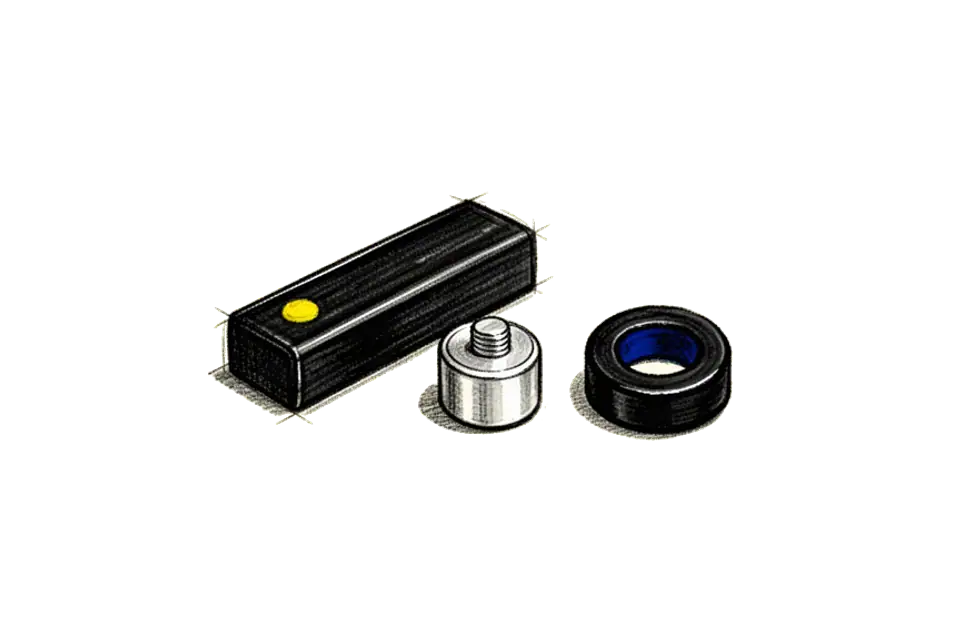
In the box was a small black hard plastic ring. The Badass shop lists it as a 5 mm distance bush. It is 15 mm wide, has a 5.3 mm hole and is 5 mm thick. The leaflet shows the box, the battery, the magnet, the snap lock and an optional zip tie. No ring. The installation video does not show it either.
I worked through this with my agent, and it guessed that the ring goes under the spoke magnet, on the thumb screw, to push the magnet closer to the box. That sounded logical. But the ring does not fit under the magnet. The guess was wrong, and so was its idea to start at the hub and push the magnet outward.
Asking the people who make it
So I wrote to Badass and to the shop and asked four things. What is the ring for, where does it go, what gap is right, and can the yellow light come from the gap or is the box broken.
Badass answered the same afternoon, in four short lines.
- It reduces the distance between box and magnet, if needed.
- It goes between sensor and chainstay.
- The gap should be 5 to 10 mm.
- "Ja, unwahrscheinlich." I read that as yes, the gap can cause it, and a defect is unlikely.
The shop answered too. They sent me to Badass and said they swap the box if it turns out to be broken. Badass also gives private customers one month money back.
On my bike the ring does not work. Raising the sensor 5 mm toward the wheel would make it touch the spokes. So the ring stays in the drawer. That is what "if needed" means. It is for frames where the sensor sits far away from the spokes.
side view

  spokes     [magnet]
                |  5 to 10 mm
          [ box on sensor ]
          [ 5 mm ring ]        only if the gap is too big
  ========== chainstay ==========
Where the magnet actually goes
Two things matter, and they are different screws.
The position along the spoke decides which part of the box the magnet passes. The leaflet picture with the green tick shows the magnet at the end of the box opposite the cable, the snap lock end. The Badass video says it in other words, at the edge of the box toward the hub, and then you "feel your way around the correct position" while turning the wheel by hand.
The gap is the distance between the magnet face and the box. Badass says 5 to 10 mm. The Fazua manual for the older Evation allows 4 to 15 mm between the sensor mark and the magnet, without any box.
And here was my actual mistake. The rear wheel has spokes crossing each other, and every second one passes a bit closer to the chainstay. My magnet sat on one of the far ones. On my photo it looked 15 to 20 mm away from the box. That is too far.
What fixed it for me:
- Lift the rear wheel so it spins free.
- Turn it slowly and look which spoke passes closest to the box.
- Move the magnet to that spoke, magnet side facing the box, right next to the box.
- Turn the wheel again. The magnet must pass close but never touch.
- Switch the bike off and on, so the old fault is gone, and turn the cranks by hand for a minute or two.
- If yellow comes back, move the magnet a few millimetres along the spoke and repeat.
After I moved it, the stand test ran without yellow. A longer ride still has to prove it.
The white light that was not the box
Halfway through the testing something else happened. Only the top LED was on, white, and nothing I tapped changed the mode. At start the remote ran its colours, green, blue and pink, and then it fell back to that one white light.
That looks like the box broke something. It did not. White is the colour for no support. And the Ride 50 manual says "If the BATTERY is flat, the upper LED of the status indicator lights up white or no LED lights up." My battery was not flat, so it was most likely not seated right.
I pulled the battery out of the drivepack and clicked it back in. Blue again, River mode, support back.
If that ever does not help, the manual has two more steps. Hold the button on the battery for 3 seconds to switch it off, then press it again, that resets the battery protection. Or hold the centre button of the remote for 8 seconds until all LEDs go out, wait until the top LED blinks green or blue, and start normally.
Firmware, the app and why I left them alone
The remote shows no speed, so I wanted the FAZUA app for testing. It did not connect. The new FAZUA App needs the latest firmware, and on a Ride 50 also a Bluetooth chip update that only works through the older Rider App.
Badass writes on its shop pages not to update the motor firmware, because updates can close the door to tuning. "An e-bike that works probably does not need an update." So I did not update, and I tested without the app.
You can still read the firmware without changing anything. The free FAZUA Toolbox runs on a computer. Take the drivepack out, put the battery in it, open the USB cap, connect a mini USB data cable, and the Toolbox shows the version and error codes. Never press update. Put the cap back on before riding, because without it the drivepack is not waterproof. I have not needed this yet.
The order I would test in next time
- Check the AAA battery in the box first. A multimeter should show around 1.5 V. Badass wants a normal battery, not a rechargeable one.
- Test the bike without the box, magnet back in its original spot. If it blinks yellow without the box, the problem is the bike, not the box.
- Push the box on until the snap lock clicks. Magnet on the spoke that passes closest, at the snap lock end.
- Gap 5 to 10 mm, close but never touching.
- Restart after every yellow, test one minute, change one thing at a time.
- Only the top LED white means battery, not box. Pull it out, click it back in.
- Leave the firmware alone.
- If nothing helps, write to service@badassebikes.com with photos of the box and the magnet. They answered me the same day.
Badass itself says the box is not allowed on public roads under the German StVO, only on private ground. Take it off and the bike is stock again.